What the TV guide and catch-up actually are on IPTV, how to load them in your app, and how to fix a guide that is empty, wrong or out of date.
A channel list without a TV guide is just a long column of names. The guide — the EPG — is what turns it into television you can actually plan around: what is on now, what is on next, and what you missed last night. Catch-up is the other half of that, letting you go back and play a programme that has already aired. This guide explains how both work on IPTV, how to get them showing in your app, and what to do when the guide is blank or the times are wrong.
What is an EPG?
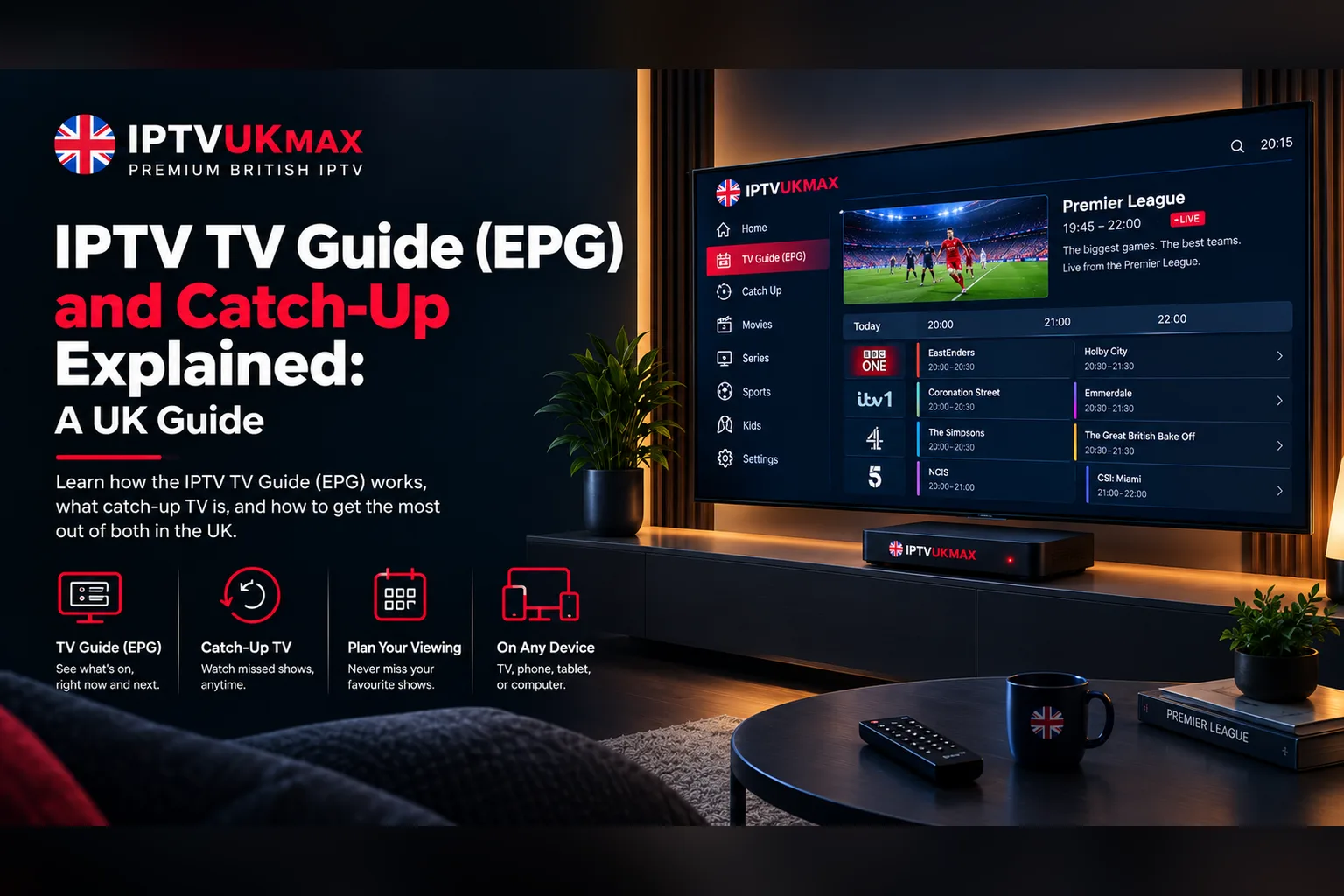
EPG stands for Electronic Programme Guide. It is the grid of programme listings you scroll through on a TV — the same thing you see on Freeview or a satellite box. On IPTV, the guide is a separate data feed that sits alongside the channel list. Your app downloads it, matches each listing to the right channel, and draws the grid.
That separation is the reason most guide problems happen. The channels can work perfectly while the guide is missing, because they come from two different places. Fixing the guide is almost always about the app loading or matching that data feed, not about the streams themselves.
What is catch-up TV on IPTV?
Catch-up lets you play programmes that have already been broadcast on a channel, straight from the guide. Instead of only seeing what is live, you scroll back through the grid, pick yesterday's match or last night's drama, and it plays from the start.
Catch-up is set per channel. Channels that support it are usually marked in the app with a small clock or rewind icon, and how far back you can go varies from channel to channel. Channels without that icon only play live.
If the channels play but the guide is empty, the streams are fine — it is the guide data that has not loaded or matched.
How to load the TV guide in your app
How you add the guide depends on how you log in. There are three common setups:
- Xtream Codes login (username, password and server URL) — the guide comes with the login. Apps such as IPTV Smarters Pro load it automatically; you just need to refresh it once after logging in.
- M3U playlist link — the guide is a separate XMLTV link (often ending in .xml or .xml.gz). Add it in your app's EPG settings, alongside the playlist.
- MAG boxes and portal logins — the guide is delivered by the portal itself, so there is nothing to add.
If you are setting up from scratch, our IPTV Smarters Pro guide and Firestick setup guide walk through the login screens step by step. Once you are logged in, look for an option called Update EPG, Refresh Guide or similar, and run it once — the first download can take a minute on a large channel list.
How to use catch-up
In most apps catch-up lives inside the guide rather than in a separate menu:
- Open the TV guide and choose a channel with the catch-up icon
- Scroll left (backwards in time) to the programme you want
- Select it and choose Play, Watch or Catch-up — playback starts from the beginning
- Some apps also have a Catch-up section that lists supported channels on their own
Not every app supports catch-up, and some only offer it in their paid version — TiviMate, for example, keeps catch-up for its premium tier. If you cannot see the option anywhere, check the app first before assuming the channel does not support it.
Why is my TV guide empty?
Work through these in order. Most empty guides are fixed by the first two:
- Refresh the guide — use Update EPG or Refresh in the app's settings and give it a minute to finish
- Restart the app — some apps only redraw the grid after a restart
- Check the EPG link — on an M3U setup, a missing or mistyped XMLTV link is the most common cause
- Clear the app's cache — on Firestick and Android, Settings → Applications → the app → Clear cache (not Clear data, which logs you out)
- Wait for the overnight update — guide data is refreshed regularly, so a channel added recently may show listings the next day
Why are the guide times wrong?
If the guide shows the right programmes but an hour early or late, it is a time setting, not missing data. Check that your device's time zone is set to the UK (London) and that automatic date and time is switched on. Many apps also have an EPG time shift or offset setting — set it to 0 for UK listings.
This is especially common in the weeks around the clocks changing in March and October, when a device with a manual time zone does not move with British Summer Time.
Why do some channels show “No information”?
A channel that plays but shows no listings has not been matched to its guide data. Refreshing the guide usually fixes it. If one channel stays blank while the rest are fine, it may simply not carry listings — some feeds, such as event or pop-up channels, do not have a schedule. You can browse the full line-up on our channels page.
Catch-up keeps buffering — what helps?
Catch-up streams behave like live ones, so the usual fixes apply: a wired connection or 5GHz Wi-Fi, a speed test on the device itself, and a cleared app cache. Our guide to fixing IPTV buffering covers each step.
What does EPG mean on IPTV?
EPG stands for Electronic Programme Guide — the TV guide grid that shows what is on now and next on each channel. On IPTV it is a data feed your app downloads and matches to the channel list.
Why is my IPTV TV guide not showing?
Usually the guide has not been downloaded or matched yet. Refresh the EPG in your app's settings, restart the app, and on an M3U setup check that the XMLTV guide link is added.
How do I watch catch-up on IPTV?
Open the TV guide, pick a channel with the catch-up icon, scroll back to the programme you missed and select Play. Not every app supports catch-up, and some only include it in their paid version.
Why is my IPTV guide an hour out?
It is a time setting. Set your device's time zone to the UK with automatic date and time switched on, and set any EPG time shift in the app to 0.
Is the TV guide included with IPTVUKmax?
Yes. Every plan includes the TV guide (EPG) and catch-up on supported channels. You can try both with a free trial before choosing a plan.
Get 34,000+ UK channels from £4/month
Instant activation, zero buffering, 7-day money-back guarantee.